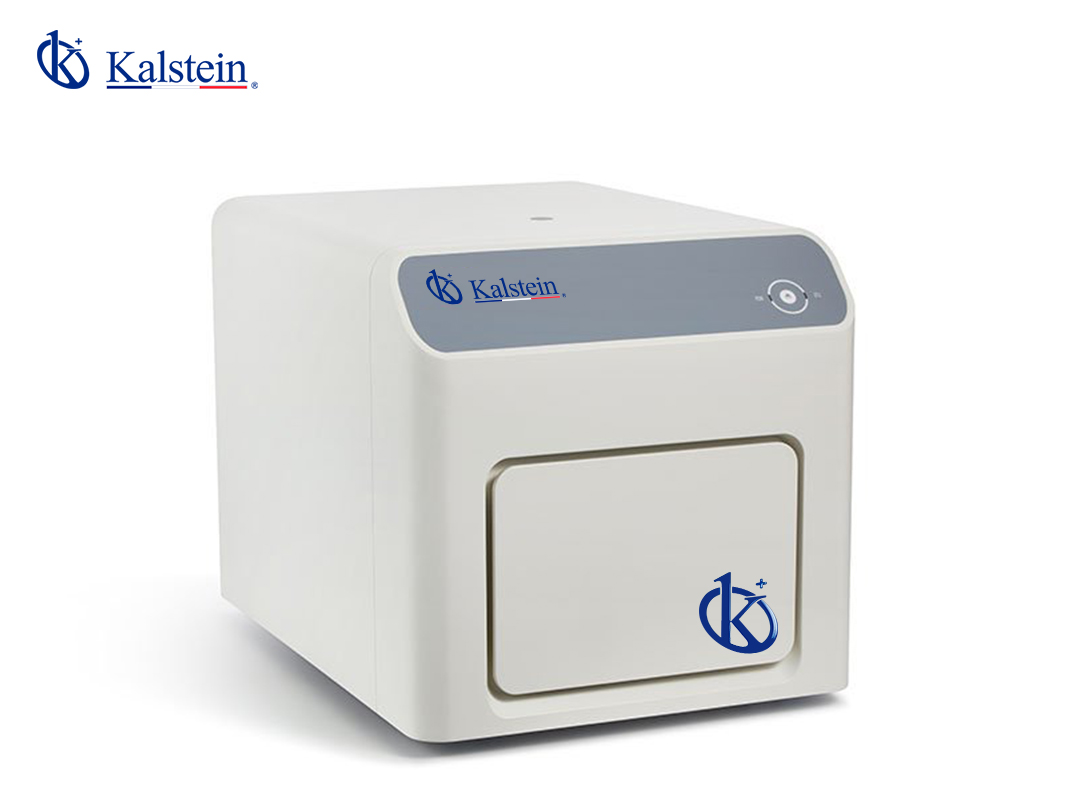
Installation and Setup Guide for the YR06249 Real-time PCR System
The YR06249 Real-time PCR System is a cutting-edge instrument designed for high-precision PCR analysis. For optimal performance, proper installation and setup are crucial. This guide will walk you through the necessary steps to ensure that your YR06249 is correctly installed and ready for use.
Unboxing Checklist
Before starting the installation, ensure you have all components from the packaging:
- YR06249 Real-time PCR System
- Power cord
- USB cable
- User manual
- Calibration kit (if included)
- Accessory components (if applicable)
Site Requirements and Preparation
Proper site preparation is essential for the optimal operation of the YR06249. Below are the critical environmental conditions to check:
| Condition | Specification |
|---|---|
| Operating Temperature | 15°C to 30°C |
| Humidity | 20% to 80% non-condensing |
| Voltage | 100-240V, 50-60Hz |
| Vibration | Minimal vibration environment |
| Clearance | Minimum 30cm around the unit |
Anchoring and Leveling the YR06249
Once you have selected an appropriate site, follow these steps to anchor and level the YR06249:
- Place the YR06249 on a stable, vibration-free surface.
- Use a spirit level to ensure the equipment is perfectly level. Adjust the feet if necessary.
- Secure the unit according to the manufacturer’s instructions to prevent movement.
Power-Up Sequence
To properly power up the YR06249:
- Connect the power cord to the back of the unit and plug it into a power outlet.
- Press the power button located on the front panel.
- Wait for the initialization process to complete which usually takes a few minutes.
Initial Calibration and Setup
After powering up the YR06249, follow these steps for initial calibration:
- Access the system menu using the touchscreen interface.
- Select the calibration option and follow the on-screen prompts.
- Use the provided calibration kit to ensure precise temperature and optical calibration.
Network and USB Setup
The YR06249 allows for data transfer via USB or network. Here’s how to set it up:
- For USB connection, insert the USB cable into the appropriate port on the YR06249 and connect it to your computer.
- For network connection, navigate to the network settings in the menu and input the required Wi-Fi or Ethernet details.
Validating First Measurements
After setup, it is crucial to validate the first measurements:
- Run a test sample with known results to check for accuracy.
- Compare the obtained results with expected values.
- If deviations occur, recheck calibration and configurations.
Common Setup Mistakes
Here are some common mistakes to avoid during setup:
- Not leveling the device properly.
- Skipping calibration procedures.
- Improper connection to power or network.
Technical Specifications of the YR06249
| Specification | Value |
|---|---|
| Model | YR06249 |
| Sample Capacity | 8 x 0.1mL PCR strip / 12 x 96 x 0.1mL individual tube / 0.1mL PCR Plate |
| Sample Volume | 10-50 μL |
| Heating and Cooling Method | Peltier |
| Temperature Range | 4-100 °C |
| Temperature Accuracy | ± 0.2°C |
| Maximum Ramping Rate | 6.0 °C/s |
| Dynamic Range | 10 orders of magnitude |
| Sensitivity | 1 copy gene |
Frequently Asked Questions
What is the maximum sample capacity of the YR06249?
The YR06249 can handle a maximum sample capacity of 8 x 0.1mL PCR strips or 12 x 96 x 0.1mL individual tubes.
How can I troubleshoot if the YR06249 does not power on?
If the YR06249 does not power on, ensure that the power cord is securely connected to both the system and the power outlet. Check for any visible damage to the cord and verify that the outlet is functional.
What maintenance is required for the YR06249?
Routine maintenance includes cleaning optical components, calibrating the temperature regularly, and performing software updates as recommended by the manufacturer.
Is the YR06249 compatible with other PCR reagents?
Yes, the YR06249 is compatible with a wide range of PCR reagents, including FAM, SYBR Green, VIC, ROX, and Cy5.
How do I ensure accurate temperature calibration on the YR06249?
To ensure accurate temperature calibration, use the manufacturer's calibration kit and follow the calibration guidelines provided in the user manual.
Can I connect the YR06249 to a network for data transfer?
Yes, the YR06249 has options for both USB and network connections for data transfer. Ensure proper setup through the system menu.
What are the typical applications for the YR06249?
The YR06249 is primarily used in genetic research, molecular diagnostics, and pharmaceutical applications for tasks such as gene expression analysis and genotyping.
For those interested in acquiring the YR06249 or learning more about its capabilities, we invite you to request a quote on Kalstein Plus.
If you are looking for a fusion of innovation and quality, you have come to the right place. At Kalstein, we offer you the luxury of exploring our exclusive catalog of laboratory equipment. We manufacture every device to the highest standards of excellence. Our intuitive and seamless online purchasing channels are designed for your convenience, securing the most competitive prices. Hesitate no longer — we bring science to life, it is time to become part of our community.