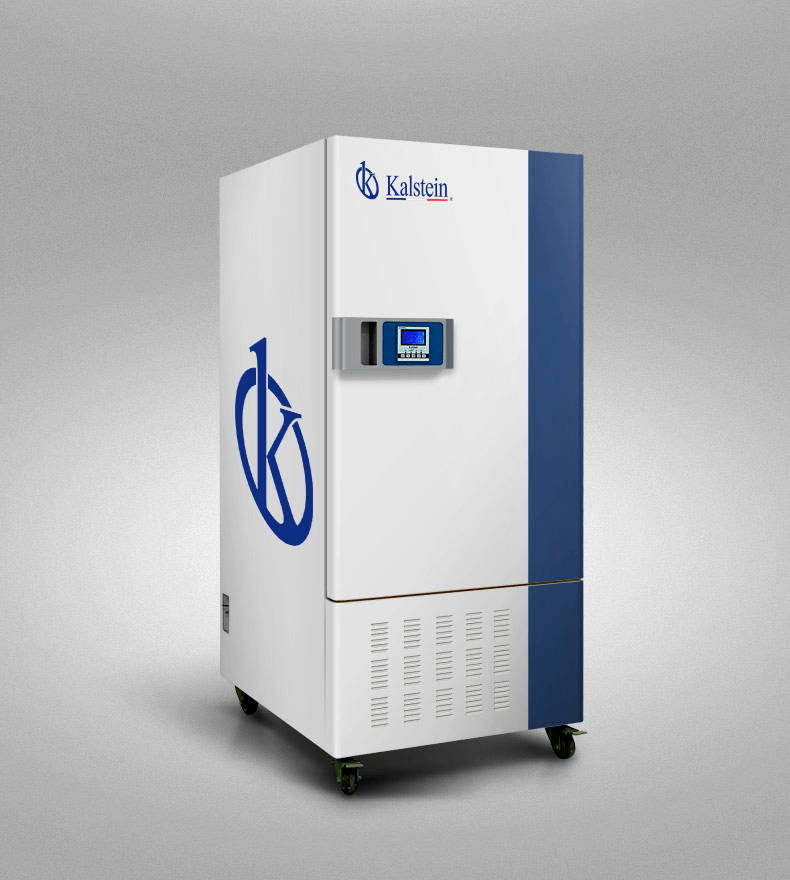
Installation and Startup Guide for the YR05335 Constant Weather Camera
The YR05335 Constant Weather Camera is designed for a range of applications including scientific research, agriculture, and industrial testing. Proper installation and initial setup are crucial to ensure optimal performance and longevity of the device. This guide aims to provide a detailed approach to the installation and startup process tailored specifically to the YR05335 model.
Unboxing Checklist
Before starting the installation of the YR05335, it is essential to unbox and check the contents to ensure that all components are present and in good condition. Here’s a checklist of items you should find:
- YR05335 Constant Weather Camera
- Power cord
- User manual
- Calibration tools
- Mounting brackets
- Warranty registration card
Site Requirements and Environmental Conditions
Setting up the YR05335 requires careful consideration of the environmental conditions in which it will operate. Here are the key requirements:
| Parameter | Specification |
|---|---|
| Temperature Range | 0°C to 60°C |
| Humidity Range | 40% to 95% relative humidity |
| Voltage | AC 220V/50Hz |
| Ventilation | Required for cooling |
| Clearance | Minimum of 30 cm around |
Installation Steps
Follow these steps to install the YR05335 properly:
1. Location and Mounting
Choose a location that is stable and meets the environmental requirements. Use the provided mounting brackets to secure the camera. Ensure it is leveled and anchored correctly to prevent any vibrations during operation.
2. Power Connection
Connect the power cord to a suitable AC outlet (220V). Ensure that the outlet is properly grounded to avoid electrical issues.
3. Initial Calibration
After powering on, the camera will require calibration. Use the calibration tools provided in the package to calibrate temperature and humidity sensors. Follow the instructions in the user manual for specific calibration settings.
4. Software Setup
If the YR05335 has network capabilities, connect it to your network using the appropriate cables. Configure the network settings through the onboard menu system. Make sure to set up any required software on your connected devices for data monitoring.
5. First Run Validation
After completing the installation, perform a first run check. Monitor the readings to ensure they are stable and within the specified ranges. Document the initial readings for future reference.
Common Installation Mistakes
Here are some common mistakes to avoid during the installation process of the YR05335:
- Failing to check the power specifications can lead to equipment damage.
- Improper mounting may cause vibrations that affect readings.
- Neglecting environmental conditions can lead to inaccurate monitoring.
- Skipping the calibration step may result in faulty data collection.
Technical Specifications
| Technical Parameter | YR05335 |
|---|---|
| Model | YR05335 |
| Brand | Kalstein |
| Category | Climatic Chambers |
| Power Rating (W) | 1100 |
| Net Weight (kg) | 136 |
| External Dimensions (mm) | 1730×650×740 |
Frequently Asked Questions
What are the common applications for the YR05335 Constant Weather Camera?
The YR05335 is commonly used in scientific research, agricultural testing, pharmaceutical studies, and environmental monitoring, providing precise control over temperature and humidity conditions.
How do I troubleshoot power issues with the YR05335?
If the device does not power on, check the power connection, ensure the outlet is functional, and confirm that the power cord is not damaged. If issues persist, consult the user manual for further diagnostics.
What maintenance is required for the YR05335?
Regular cleaning and calibration are necessary to maintain the YR05335. Ensure that sensors are free from dust and that all connections are secure. Follow the maintenance schedule outlined in the user manual for detailed procedures.
How do I interpret the readings from the YR05335?
Understanding the displayed temperature and humidity values is crucial. Refer to the user manual for details on error ranges, normal operating conditions, and how to interpret anomalies in data readings.
Is the YR05335 suitable for long-term experiments?
Yes, the YR05335 is designed for long-term experiments, ensuring stable and consistent environmental conditions crucial for accurate results over extended periods.
If you are looking for a fusion of innovation and quality, you have come to the right place. At Kalstein, we offer you the luxury of exploring our exclusive catalog of laboratory equipment. We manufacture every device to the highest standards of excellence. Our intuitive and seamless online purchasing channels are designed for your convenience, securing the most competitive prices. Hesitate no longer — we bring science to life, it is time to become part of our community.