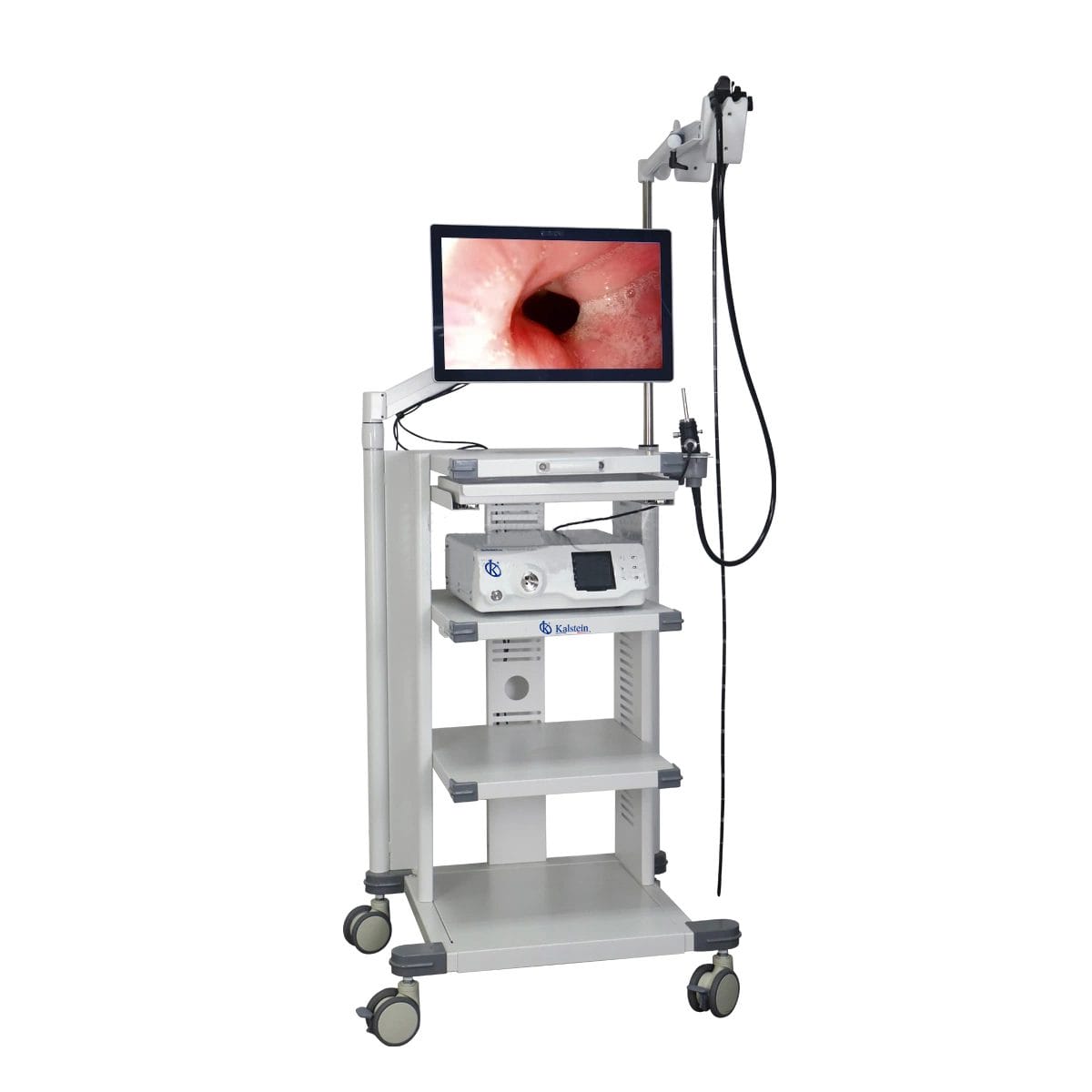
Site Requirements and Environmental Conditions for the YR06150 Veterinary Video Endoscope
The YR06150 Veterinary Video Endoscope is a sophisticated device that provides high-definition imaging for various veterinary applications, including gastroscopy, colonoscopy, and bronchoscopy. To ensure its optimal performance, it is essential to understand the specific site requirements and environmental conditions necessary for installation.
Understanding the YR06150
Before we delve into the environmental conditions and site requirements, let’s first understand the key features of the YR06150. This model is equipped with a professional imaging workstation that accurately retrieves medical data and features a high-definition CMOS technology for enhanced visualization. Proper installation ensures the longevity and effectiveness of this advanced veterinary tool.
Technical Data Table for YR06150
| Model | Diameter of Insertion Tube | Working Channel | Working Length | View Angle | View Depth | Range of Bending | Resolution |
|---|---|---|---|---|---|---|---|
| YR06150 | 11.5 mm | 3.2 mm | 3500 mm | 140° | 3~100 mm | 180°(U), 130°(D), 160°(R), 160°(L) | FHD 1080P (2M pixels) |
Environmental Conditions for the YR06150
To achieve optimal functioning of the YR06150, certain environmental conditions must be met:
- Temperature Range: The device operates best at a temperature range of 15°C to 30°C (59°F to 86°F).
- Humidity Levels: Relative humidity should be maintained between 30% and 75% to prevent moisture damage.
- Electrical Supply: The power supply must be stable, ideally between 110V to 240V with a frequency of 50/60Hz.
- Ventilation: Adequate ventilation is necessary to prevent overheating during prolonged use.
- Vibration and Electromagnetic Interference: The installation site should be free from heavy machinery or electromagnetic fields that can disrupt the device’s operation.
- Clearances: Ensure adequate space around the device for maintenance and operation.
- Drainage and Water Supply: The area should have proper drainage to handle any spills and a reliable water supply for cleaning purposes.
Site Preparation Checklist for Installation of the YR06150
| Site Requirement | Details | Checklist |
|---|---|---|
| Temperature Control | Maintain room temperature | ✔ |
| Humidity Control | Monitor humidity levels | ✔ |
| Electrical Setup | Verify power supply specifications | ✔ |
| Ventilation | Ensure airflow | ✔ |
| Space Requirements | Check for adequate clearance | ✔ |
| Safety Measures | Prepare emergency protocols | ✔ |
Best Practices for Installing the YR06150
When installing the YR06150, adhere to these best practices:
- Unboxing Checklist: Ensure all components are present and undamaged.
- Anchoring and Leveling: Secure the workstation and ensure it’s level to prevent operational issues.
- Power-Up Sequence: Follow the manufacturer’s guidelines for powering up the unit for the first time.
- Calibration: Perform initial calibration as per user manual instructions to ensure accurate readings.
- Network Setup: If the device requires network connectivity, ensure proper configuration.
- Validation: Conduct a test run to validate the first measurement and ensure all functions are working correctly.
- Common Setup Mistakes: Avoid improper placement near equipment that generates electromagnetic interference.
Frequently Asked Questions
What are the optimal environmental conditions for using the YR06150?
The optimal environmental conditions for the YR06150 include a temperature range of 15°C to 30°C and humidity levels between 30% and 75%.
How can I ensure proper installation of the YR06150?
Ensure that the installation site is stable, well-ventilated, and meets the necessary temperature and humidity requirements to avoid malfunction.
What safety measures should I take when setting up the YR06150?
Prepare emergency protocols and ensure that the power supply is stable and properly grounded to prevent electrical hazards.
Can the YR06150 be used in a humid environment?
Yes, but humidity must be controlled to stay within the recommended levels of 30% to 75% to prevent equipment damage.
What should I do if the device does not power on after installation?
Check the power connections and ensure that the voltage and frequency match the specifications of the YR06150.
How often should I perform maintenance on the YR06150?
Regular maintenance is essential; it is recommended to check the device every three months for optimal performance.
How do I validate the first measurement after installation?
Follow the calibration procedures in the user manual, and conduct a test run to ensure accurate readings are produced.
If you are looking for a fusion of innovation and quality, you have come to the right place. At Kalstein, we offer you the luxury of exploring our exclusive catalog of laboratory equipment. We manufacture every device to the highest standards of excellence. Our intuitive and seamless online purchasing channels are designed for your convenience, securing the most competitive prices. Hesitate no longer — we bring science to life, it is time to become part of our community.