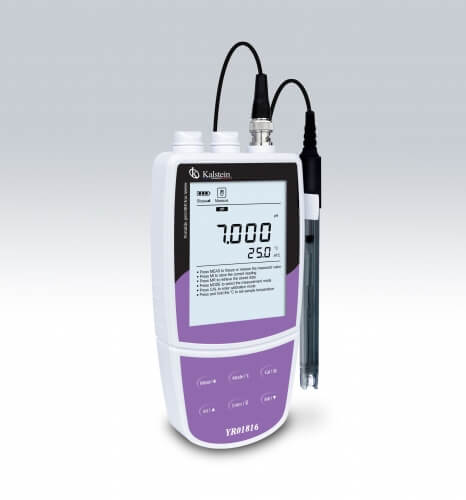
Troubleshooting Common Errors in the YR01817-11 Portable Ammonium Ion Meter
The YR01817-11 Portable Ammonium Ion Meter is a sophisticated tool designed for precise measurement of ammonium ions in various settings. However, like any precision instrument, users may encounter issues that affect performance or measurement accuracy. This guide focuses on identifying common symptoms and providing effective troubleshooting steps to resolve these issues, ensuring optimal functionality of the YR01817-11.
Understanding the YR01817-11 Portable Ion Meter
The YR01817-11 is designed for field and laboratory use, featuring a user-friendly interface and advanced calibration options. It boasts a backlit LCD display, selectable concentration units, and a temperature compensation feature that enhances reading accuracy across varying conditions.
Users benefit from its automatic diagnostic functions that inform them about calibration points and electrode slopes, facilitating proactive maintenance.
Technical Specifications of YR01817-11
| Model | Brand | Category | Subcategory | Price (USD) | Weight (g) | Dimensions (mm) |
|---|---|---|---|---|---|---|
| YR01817-11 | Kalstein | Ion Meter | Portable Ion Meter | 500.00 | 300 | 170 x 85 x 30 |
Troubleshooting by Symptom
1. Equipment Does Not Power On
If the YR01817-11 does not turn on, check the following potential causes:
- Power Supply: Ensure the batteries are correctly installed and charged or that the AC adapter is functioning.
- Faulty Power Button: Check if the power button is stuck or malfunctioning.
- Internal Fault: Inspect for any internal short circuits or damage.
To resolve this, replace the batteries or check the AC adapter connections. If the issue persists, consider seeking professional service.
2. Error Code E-03 Appears
Error code E-03 typically indicates a calibration failure. Follow these steps:
- Review Calibration Settings: Ensure that the meter is calibrated according to the manufacturer’s specifications.
- Check Calibration Solutions: Use fresh calibration solutions that meet the defined concentration.
- Reset Calibration: Perform a factory reset and recalibrate the meter.
If the error continues, consider recalibrating the device using a different set of calibration solutions.
3. Inconsistent Readings
Inconsistent readings can undermine the reliability of the YR01817-11, attributable to several factors:
- Electrode Condition: Examine the electrode for signs of wear or contamination.
- Temperature Fluctuations: Ensure that temperature compensation is functioning correctly.
- Sample Preparation: Double-check if the sample has been prepared according to proper protocols.
To address these issues, clean or replace the electrode as needed, ensure consistent sample temperatures, and verify sample handling procedures.
4. Calibration Alarm Triggered
If the calibration alarm is triggered, it indicates that the meter requires calibration soon:
- Calibration Schedule: Verify that the calibration schedule is adhered to.
- Calibration Solutions: Ensure that the calibration solutions are not expired.
Regularly calibrate the YR01817-11 as per the recommended schedule to prevent erroneous measurements.
Summary of Symptoms and Solutions
| Symptom | Possible Cause | Solution |
|---|---|---|
| Equipment Does Not Power On | Battery or adapter issue | Replace batteries or check adapter |
| Error Code E-03 | Calibration failure | Recalibrate with fresh solutions |
| Inconsistent Readings | Electrode condition or temperature issues | Clean/replace electrode, check temperature |
| Calibration Alarm Triggered | Calibration overdue | Perform calibration immediately |
Frequently Asked Questions
What is the maximum concentration range for the YR01817-11?
The YR01817-11 has a maximum concentration range of 0.1 to 18,000 ppm, allowing for versatile applications across various sample types.
How often should the YR01817-11 be calibrated?
Calibration frequency depends on usage but is generally recommended every 30 days or before critical measurements to ensure accuracy.
What types of solutions can be used for calibration?
Calibration solutions must be at defined concentrations, including 0.001, 0.01, 0.1, 1, 10, 100, 1000, and 10,000 ppm, to achieve the best calibration results.
Can the YR01817-11 be used in various environmental conditions?
Yes, the YR01817-11 is designed to function effectively in a wide range of environmental conditions, with temperature ranges from 0 to 105 °C (32 to 221 °F).
What should I do if the display shows unusual readings?
If the display shows unusual readings, check electrode condition, ensure proper calibration, and confirm that the samples are prepared correctly.
Are there any optional accessories for the YR01817-11?
Yes, optional accessories include replacement electrodes, calibration kits, and charging adapters to enhance the functionality and lifespan of the YR01817-11.
Request a Quote
If you require further assistance or wish to request a quote for the YR01817-11, please reach out to us for personalized service.
If you are looking for a fusion of innovation and quality, you have come to the right place. At Kalstein, we offer you the luxury of exploring our exclusive catalog of laboratory equipment. We manufacture every device to the highest standards of excellence. Our intuitive and seamless online purchasing channels are designed for your convenience, securing the most competitive prices. Hesitate no longer — we bring science to life, it is time to become part of our community.