Troubleshooting Common Errors on the YR05558 Halogen Moisture Analyzer
The YR05558 Halogen Moisture Analyzer is a sophisticated instrument designed for precise moisture measurement in various materials. As with any complex device, users may occasionally encounter errors or unexpected behavior. This article aims to provide a detailed troubleshooting guide, focusing on common symptoms, probable causes, and actionable solutions specific to the YR05558 model.
Understanding the YR05558 Halogen Moisture Analyzer
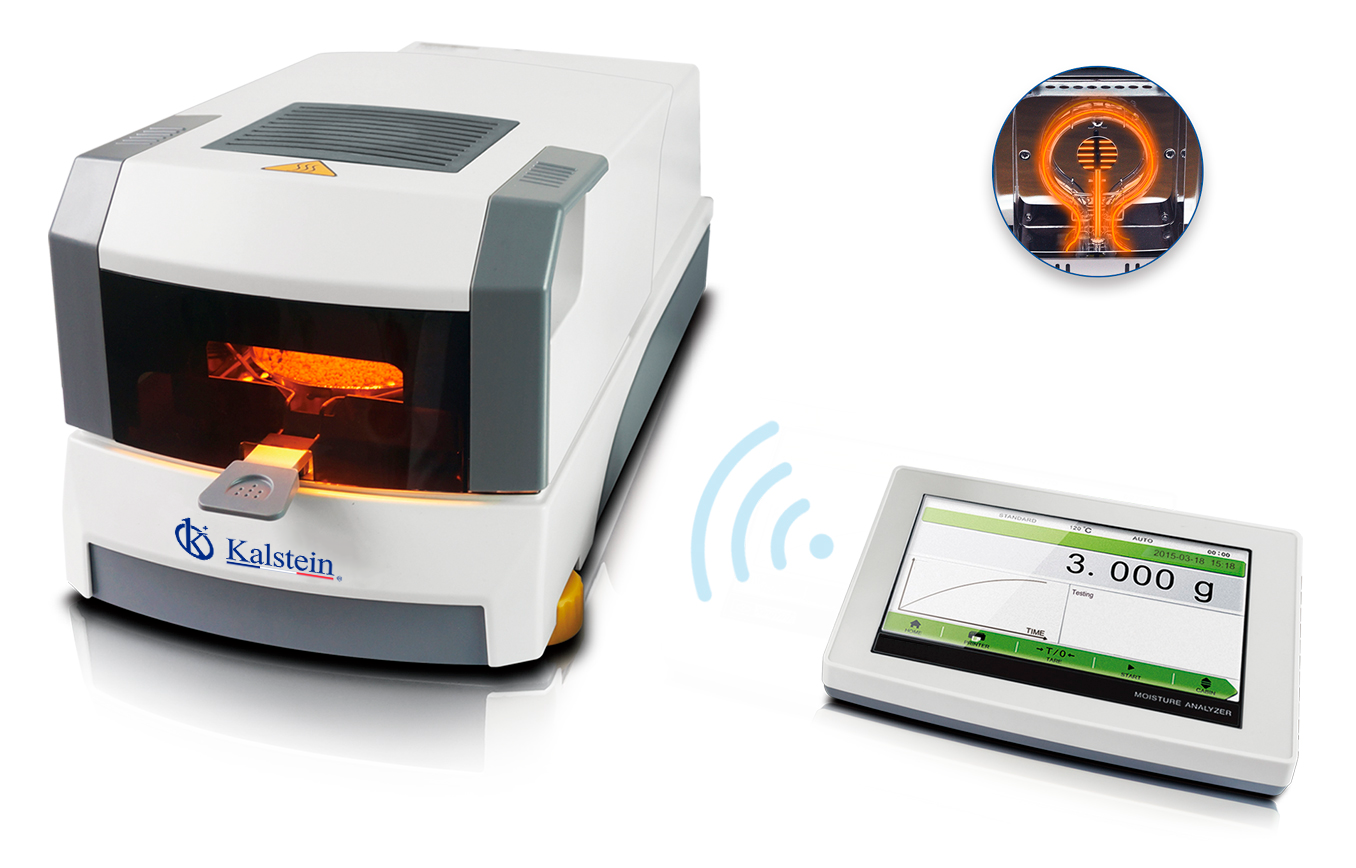
The YR05558 model is equipped with a range of features that enhance its performance in moisture analysis. It includes a 7-inch touchscreen interface, a dual-motor drive with a double fan design, and a halogen lamp for rapid heating. Understanding these components is essential for effective troubleshooting.
Technical Specifications of YR05558
| Model | YR05558 |
|---|---|
| Capacity | 110g |
| Readability | 0.001g |
| Operating Temperature | 5℃-35℃ |
| Heating Source | Halogen Lamp |
| Temperature Range | 40℃-230℃ |
| Humidity Range | 0.00%-100.00% |
| Dimension of Main Unit | 215x195x415mm |
Troubleshooting by Symptom
Equipment Does Not Power On
If the YR05558 does not power on, check the following probable causes:
- Power Source: Ensure the unit is connected to a functional power outlet.
- Power Cable: Inspect for damage or loose connections.
- Fuse: Check if the internal fuse is blown and replace if necessary.
To resolve this issue, verify all connections and components related to power. If the problem persists, consult the manufacturer.
Error Code E-03
Error code E-03 indicates a problem with the measurement process. This error can stem from:
- Incorrect Sample Size: Ensure the sample size does not exceed 110g.
- Improper Balance Calibration: Recalibrate the balance if readings are inconsistent.
- Environmental Factors: Check for excessive vibrations or drafts that could affect measurements.
To fix this issue, adjust the sample size, recalibrate, or stabilize the environment for accurate readings.
Inconsistent Readings
Inconsistent readings on the YR05558 may occur due to various factors:
- Sample Properties: Different materials may require specific analysis protocols.
- Temperature Fluctuations: Ensure stable temperature during operation.
- Improper Cleaning: Residue on the pan can lead to skewed results.
To resolve inconsistencies, ensure uniform sample preparation, maintain a controlled environment, and regularly clean the apparatus.
Results Not Displaying
If results are not displaying on the touchscreen, consider the following:
- Software Glitch: Restart the device to reset the software.
- Display Issues: Check if the touchscreen is responsive; consider a factory reset.
- Connection Problems: Verify connections to external devices if applicable.
Address these areas systematically to restore functionality.
Symptom-Cause-Solution Table
| Symptom | Probable Cause | Solution |
|---|---|---|
| Equipment Does Not Power On | Power source issue | Check connections and power cable |
| Error Code E-03 | Incorrect sample size | Adjust sample to meet specifications |
| Inconsistent Readings | Sample properties or cleanliness | Ensure uniform preparation and cleanliness |
| Results Not Displaying | Software glitch or display issue | Restart the device or perform factory reset |
Frequently Asked Questions
What should I do if my YR05558 gives an unexpected error message?
If you receive an unexpected error message, consult the troubleshooting section of this guide to identify the issue. If the problem persists, consider reaching out to the manufacturer for support.
How can I ensure accurate moisture readings with the YR05558?
For accurate readings, ensure proper calibration of the device, use the correct sample size, and maintain a stable operating environment.
What maintenance is required for the YR05558 Halogen Moisture Analyzer?
Regular maintenance includes cleaning the sample pan, checking calibration, and ensuring the apparatus is free from dust and debris.
Can I connect the YR05558 to a PC for data analysis?
Yes, the YR05558 can be connected to a PC via RS232, RJ45, or USB interfaces for data logging and analysis.
What types of samples can be analyzed using the YR05558?
The YR05558 can analyze a wide range of materials, including powders, granules, and liquids, provided they can be contained within the specified capacity.
If you are looking for a fusion of innovation and quality, you have come to the right place. At Kalstein, we offer you the luxury of exploring our exclusive catalog of laboratory equipment. We manufacture every device to the highest standards of excellence. Our intuitive and seamless online purchasing channels are designed for your convenience, securing the most competitive prices. Hesitate no longer — we bring science to life, it is time to become part of our community.