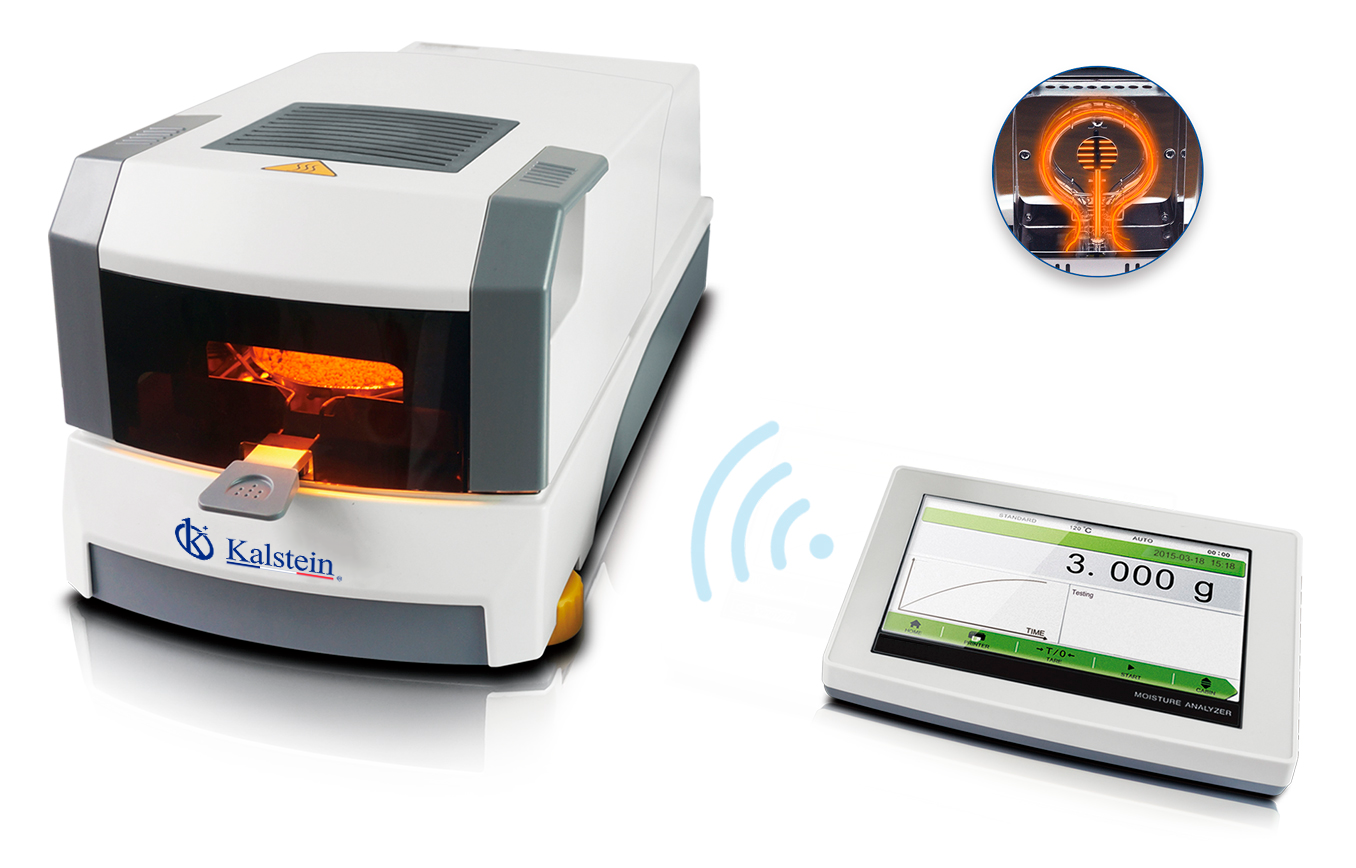
Troubleshooting Common Errors of the YR05559 Halogen Moisture Analyzer by Symptom
The YR05559 Halogen Moisture Analyzer is a powerful tool designed to accurately measure moisture content in various materials. However, like any sophisticated equipment, it may encounter errors during operation. This article focuses on common errors associated with the YR05559 model, detailing troubleshooting techniques organized by symptom to aid operators in resolving issues efficiently.
Understanding the YR05559 Halogen Moisture Analyzer
The YR05559 model features a 7-inch touchscreen, dual motor drive, stainless steel chamber, and halogen lamp heating source. These components work together to deliver precise moisture measurements. Understanding how the device operates can help in diagnosing errors effectively.
Technical Data Table for YR05559
| Model | YR05559 |
|---|---|
| Capacity | 110g |
| Readability | 0.001g |
| Operating Temperature | 5℃-35℃ |
| Heating Source | Halogen Lamp |
| Temperature Range | 40℃-230℃ |
| Humidity Range | 0.00%-100.00% |
| Display | 7-inch touchscreen |
Common Symptoms and Troubleshooting Steps
Equipment Does Not Power On
If your YR05559 does not power on, check the following:
- Ensure the power cord is securely plugged into a functional outlet.
- Inspect the power switch for damage or malfunction.
- Verify that the voltage supply meets the equipment requirements.
Common fixes include replacing faulty power cords or ensuring proper outlet functionality.
Error Code E-01: Temperature Sensor Failure
Error code E-01 indicates a failure in the temperature sensor. To troubleshoot:
- Confirm the sensor connection is secure.
- Inspect the sensor for contamination or damage.
- Reset the device and attempt to recalibrate.
Replacing the temperature sensor may be necessary if issues persist.
Inconsistent Readings
Inconsistent moisture readings can result from several factors:
- Check material homogenization before measurement.
- Ensure the sample size is adequate for the analyzer's capacity.
- Inspect for ambient conditions that may influence readings.
Consider recalibrating the device to restore accurate measurements.
Symptom-Cause-Solution Matrix
| Symptom | Cause | Solution |
|---|---|---|
| Equipment does not power on | Power cord issue | Check connections, replace faulty cords. |
| Error Code E-01 | Temperature sensor malfunction | Inspect sensor, secure connections, replace if needed. |
| Inconsistent readings | Sample size or preparation issues | Review sample preparation methods, recalibrate. |
Frequently Asked Questions
What should I do if my YR05559 gives an error reading?
If your YR05559 displays an error, refer to the operation manual for specific error codes. Usually, a power cycle or recalibration can resolve temporary issues. If errors persist, consult the troubleshooting table above.
How can I ensure accurate readings from the YR05559?
Accurate readings can be achieved by ensuring proper sample size, thorough homogenization, and calibration of the device before use. Regular maintenance and cleaning of the sensor are also recommended.
What common maintenance is required for the YR05559?
Regular maintenance includes cleaning the chamber and sensor, checking the halogen lamp, and ensuring the calibration settings are accurate. Following the manufacturer's guidelines will help prolong the device's operational lifespan.
Can the YR05559 be used in different environments?
The YR05559 is designed for laboratory conditions. It operates best in environments with controlled temperature and humidity levels. Excessive fluctuations in these conditions can affect measurement accuracy.
What accessories are recommended for the YR05559?
Recommended accessories include calibration weights, additional sample pans, and a compatible printer for documentation of results. Consult the manufacturer for a complete list of compatible accessories.
How often should I calibrate the YR05559?
Calibration should be performed at least once a month, or more frequently if the device is used heavily or moved between different locations. Always refer to the operational manual for specific calibration procedures.
If you are looking for a fusion of innovation and quality, you have come to the right place. At Kalstein, we offer you the luxury of exploring our exclusive catalog of laboratory equipment. We manufacture every device to the highest standards of excellence. Our intuitive and seamless online purchasing channels are designed for your convenience, securing the most competitive prices. Hesitate no longer — we bring science to life, it is time to become part of our community.